Coding/사이드 플젝
[CtrlU] 메트릭 모니터링 대시보드 구축
kangplay
2025. 8. 24. 22:06
애플리케이션이 정상적으로 동작하는지 확인하려면 CPU 사용량, 메모리 사용량 등을 실시간으로 모니터링해야한다. 시스템 메트릭 수집 및 시계열 데이터 처리에 특화된 Prometheus와 수집한 데이터를 시각화해주는 Grafana를 이용하여 모니터링을 구축하고자 한다.
1. Actuator로 메트릭 정보 생성
먼저 actuator 라이브러리를 추가하여 스프링 애플리케이션으로부터 메트릭 정보를 얻도록 했다.
management:
  endpoints:
    web:
      exposure:
        include: "health,metrics,info,prometheus"
  endpoint:
    health:
      show-details: always
2. Prometheus 로 데이터 수집
Prometheus 라이브러리와 컨테이너 정보를 추가하여 Prometheus 서버를 띄웠다. 이를 통해 스프링 애플리케이션이 제공하는 메트릭 정보를 수집한다.
//prometheus.yml
global:
  scrape_interval: 15s

scrape_configs:
  - job_name: 'spring-actuator'
    metrics_path: '/actuator/prometheus'
    static_configs:
      - targets: ['spring:9000']
그 다음, 프로메테우스 라이브러리와 컨테이너를 띄워 메트릭 정보를 수집하도록 하였다.
//docker-compose.yml 일부분
prometheus:
    image: prom/prometheus
    container_name: prometheus
    ports:
      - "9090:9090"
    volumes:
      - ./prometheus.yml:/etc/prometheus/prometheus.yml
    networks:
      - app-net
localhost:9090에 접근하면, 프로메테우스가 메트릭 정보를 성공적으로 가져오고 있는지 확인 가능하다.
3. Grafana 로 시각화
grafana 컨테이너를 추가하여 Prometheus에서 수집한 시계열 데이터를 시각화해보겠다.
  grafana:
    image: grafana/grafana
    container_name: grafana
    ports:
      - "3001:3000"
    environment:
      - GF_SECURITY_ADMIN_USER=admin
      - GF_SECURITY_ADMIN_PASSWORD=admin
    volumes:
      - grafana_data:/var/lib/grafana
    networks:
      - app-net
그 다음 localhost:3001 로 접근하여 grafana 에 접근한다. 그 후 프로메테우스 대시보드를 생성한다.
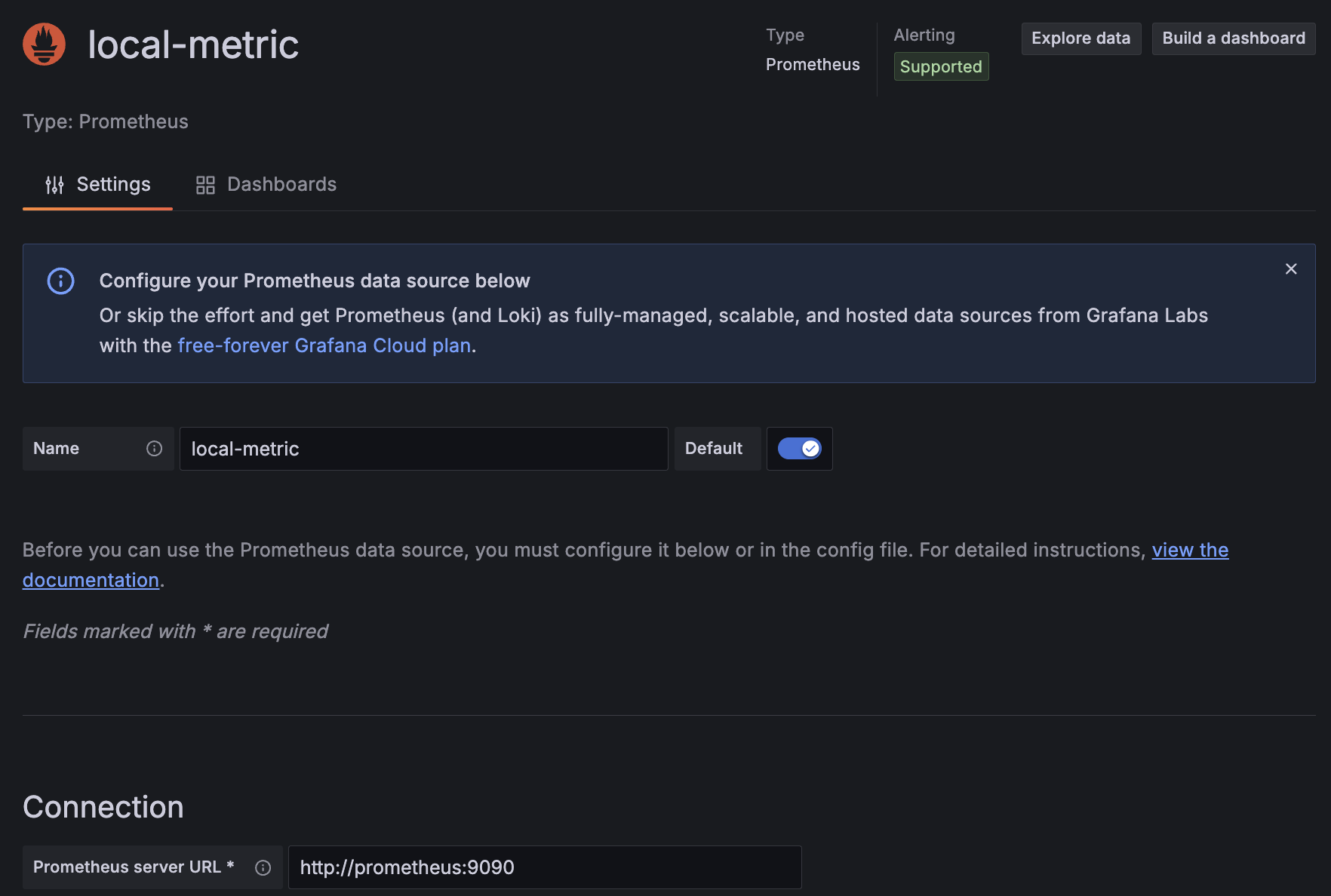
사용한 템플릿은 https://grafana.com/grafana/dashboards/19004-spring-boot-statistics/ 이다.
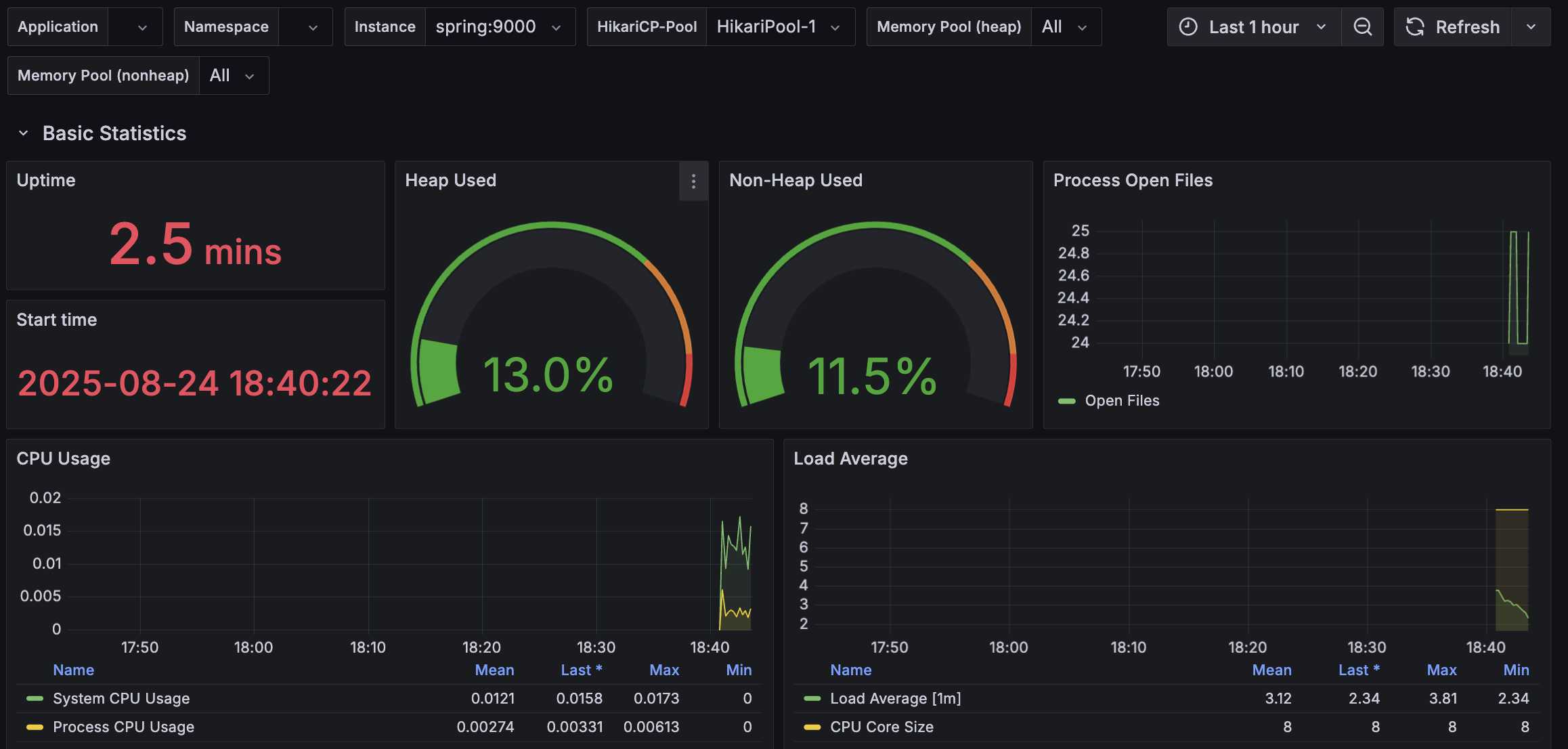
- Heap Used (Heap 메모리 사용량)
- 현재값: 13% 사용중
- 높은 사용률 (70~80% 이상): Garbage Collection 이 적절히 동작하는지 확인 필요
- CPU Usage (CPU 사용량)
- System CPU Usage: 전체 시스템의 CPU 사용률
- Process CPU Usage: 애플리케이션 프로세스의 CPU 사용률
- Load Average (CPU 부하 평균)
- Load Average (1m) : 최근 1분간 CPU 평균 부하.
- CPU Core Size : 사용 중인 CPU 코어 수.
- Load Average 값이 CPU 코어 수를 초과하면 병목 현상 발생 가능. 예를 들어, CPU 2코어 시스템에서 Load Average가 2를 넘으면 CPU 과부하.